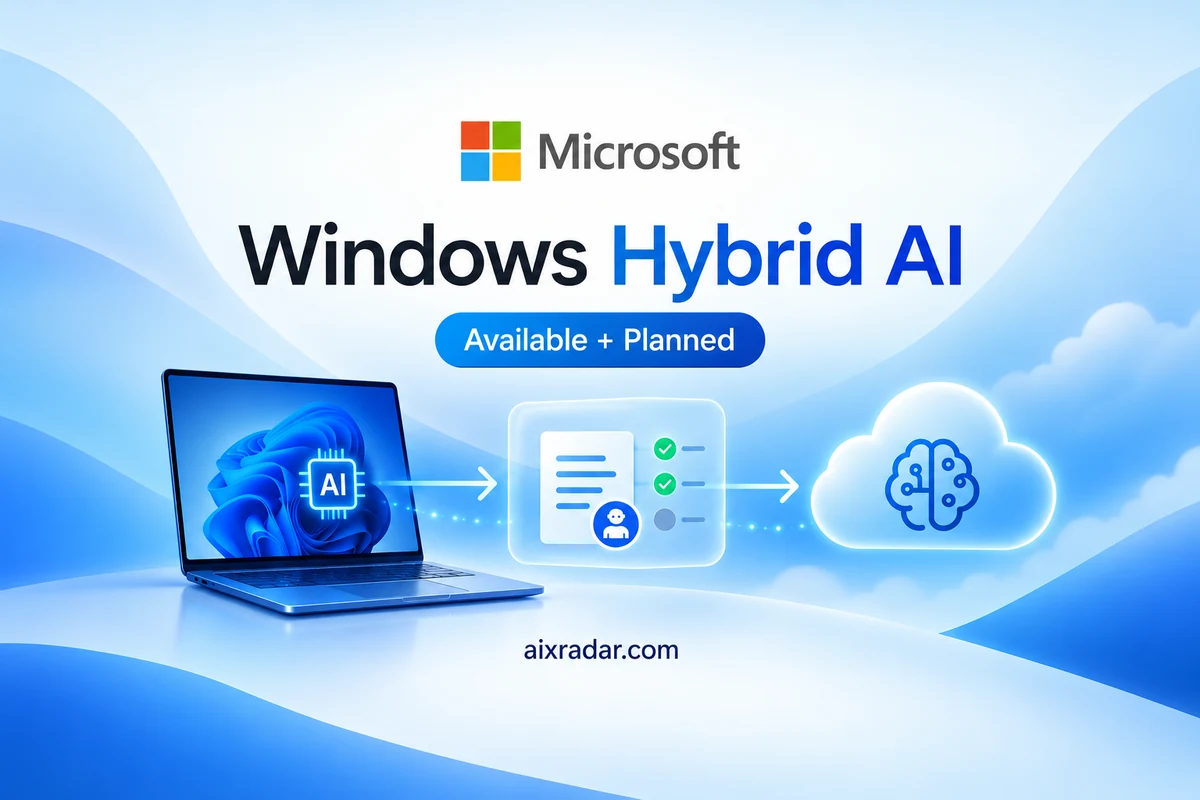

Microsoft announced its Windows hybrid intelligence plans on 7 October 2026, bringing local AI models, cloud services and agent permissions into one broader Windows strategy. Some components are available now, while major Copilot experiences remain previews or future rollouts. For users, the useful question is which parts their current PC and applications can actually use. Source: Microsoft’s Windows announcement.
Reporting cutoff: 8 October 2026, 18:07 Pakistan time. This is an analysis of official announcements and documentation; AIX Radar has not tested the new Windows features.
What does Windows hybrid AI mean?
Hybrid AI combines inference on your own device with models running in cloud infrastructure. Inference means processing an input to produce a model’s response. A service can choose where that work runs, rather than sending every task to the same remote model.
Microsoft’s Windows and GitHub technical explanation describes two approaches: automatic orchestration and explicit local-model selection. The first can decide where work is processed; the second gives developers more direct control over the chosen endpoint.
Consider a hypothetical coding workflow. A local model might handle a narrowly scoped change, while a cloud model handles a more demanding question. That division is a possible use of routing, not a performance result we observed. A creator planning to organize files has a different concern: which folders the agent may read or change. The location of the model and the permissions of its tools need separate answers.
This distinction prevents a common misunderstanding. Running a model on the PC does not prove that the application never contacts a cloud service, that every tool works offline, or that every piece of context stays on the device. Microsoft’s technical article explicitly distinguishes local inference from the network behavior of the overall session.
What is available, and what is still planned?
The announcement combines releases and roadmap items. Keeping their status separate is more useful than treating the entire package as a feature every Windows user received yesterday.
| Component | Confirmed status | Practical qualification |
|---|---|---|
| Microsoft Execution Containers | Generally available | Requires integration and suitable policy; backends have different support. |
| Local MAI-Code-1.1-Flash | Available to download and run locally | Hardware and runtime requirements matter. |
| Copilot local/cloud orchestration | Experimental preview planned later in October | Not a confirmed universal rollout on announcement day. |
| New Copilot+ PC local experiences | Expected over the coming months | No single confirmed date for all users. |
| Meta Muse native Windows app | Announced as coming soon | No specific availability date confirmed in the Windows announcement. |
Sources: Windows roadmap and Microsoft AI’s model update. The detailed GitHub article also uses broad rollout language near its conclusion. For planning, we retain the explicit experimental-preview timing rather than assuming every local-routing feature is already available.
Why the local coding model needs substantial memory
Microsoft says its on-device MAI-Code-1.1-Flash uses quantization to reduce the model’s footprint while retaining a 256K context window. Quantization stores model information at reduced numerical precision. Its model announcement recommends devices with more than 120GB of RAM for best performance; that is a recommendation, not a demonstrated minimum for every possible setup.
The technical account reports a model footprint of approximately 53GB and peak memory usage of 75.5GB at 256K context in Microsoft’s configuration. Model files are only one part of the memory budget: the operating system, other applications and stored attention state also need capacity.
These are vendor-reported measurements on specified hardware and software, not AIX Radar tests. They explain why “runs locally” should not be interpreted as “runs comfortably on any ordinary laptop.” A model that loads successfully may behave differently during a long session with growing context.
Microsoft describes zero inference charges for local model calls. That does not establish a free end-to-end workflow: hardware, power, subscriptions, cloud routing and connected services may still have costs. We have not verified a complete subscription or hardware-cost comparison and do not recommend buying a new PC on the basis of this announcement alone.
What Microsoft Execution Containers change
Microsoft Execution Containers, or MXC, apply externally defined policies to supported agent workloads. Developers and administrators can specify permitted resources instead of relying on the model to decide its own access. The developer announcement describes controls for files, networks and other capabilities.
There is an important operating-mode distinction. Enforcement blocks ungranted access. Learning blocks it and records an activity report. Permissive records the access but allows it. Therefore, the presence of MXC alone does not establish that a particular policy is actively blocking unwanted operations.
GitHub’s integration explanation adds another limit: sandboxed child processes, built-in file tools and remote MCP servers do not all share the same operating-system enforcement boundary. Readers should inspect their application’s implementation rather than infer that every action is isolated identically.
Containment can reduce the scope of unwanted actions. It is not evidence that an agent will understand every task correctly, produce reliable facts or make safe decisions inside the access it has been granted.
What this means for creators and small businesses
Our practical reading is to evaluate the task and its permissions before evaluating a new device. A creator sorting working copies of media files should first decide whether the agent may rename, overwrite or delete them. A small business generating reports should separate read access to source records from write access to the output folder.
For an initial trial, we suggest disposable files and a clear success criterion. Record which application and model were used, whether routing was automatic or explicit, what network access was allowed, and what the agent changed. Compare the output with the original inputs before trusting a recurring workflow. This is a proposed evaluation method, not completed testing.
Businesses also need to distinguish present controls from planned management features. Microsoft describes forthcoming Entra identity and Intune management capabilities; the developer announcement does not present every part of that governance roadmap as generally available today.
Frequently asked questions
Does every Windows 11 PC get all these AI features now?
No. The package includes available components, experimental access planned for October and features expected over the coming months.
Will local AI make Copilot fully offline?
Not automatically. Model inference, cloud routing and tool connections have different network requirements.
Does the local model work on a 16GB laptop?
The reviewed announcement does not establish that. Microsoft recommends more than 120GB of RAM for best performance with this model.
Does MXC stop every unwanted action?
No such guarantee is established. The policy, operating mode, containment backend and application integration determine the boundary.
Is Meta Muse for Windows available?
Microsoft announced it as coming soon. We have not confirmed a release date or Windows-specific pricing.
Windows hybrid intelligence gives users more decisions about where AI runs and what agents can access. The immediate next step is to check the specific feature, hardware and permission requirements—not assume that a roadmap announcement has already changed every PC.