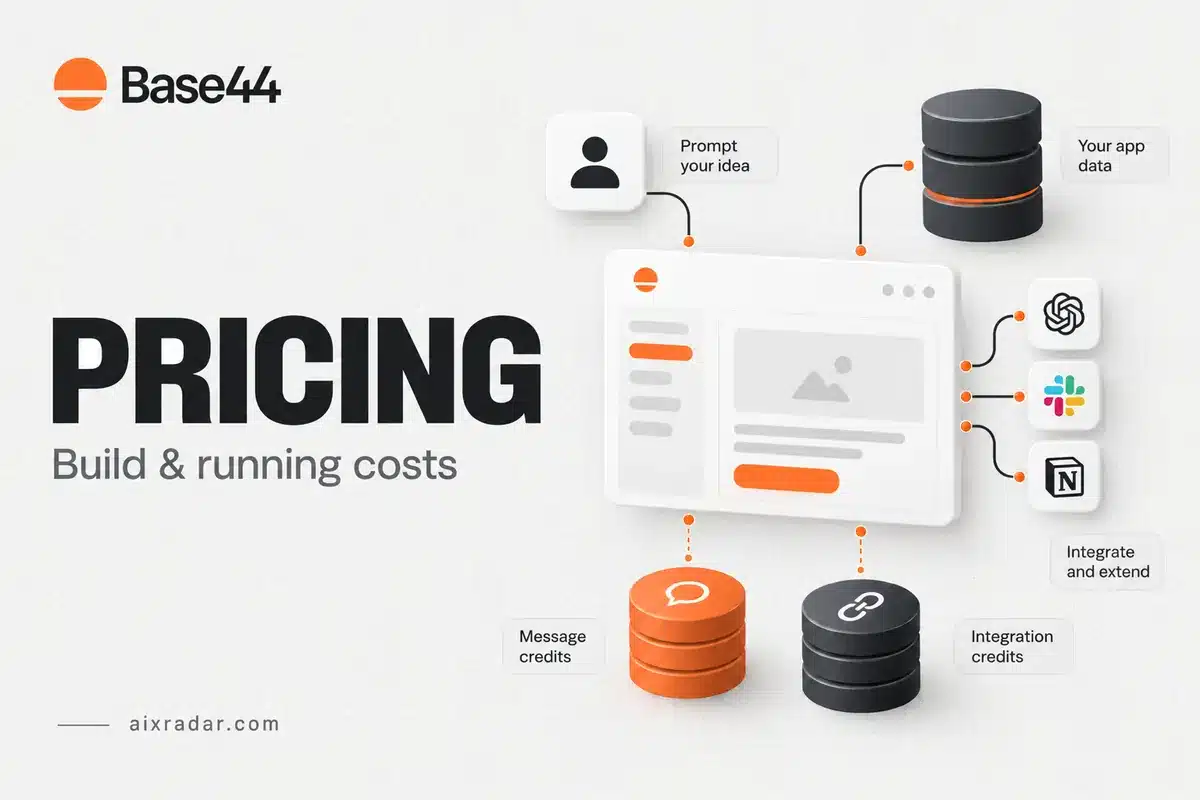

Base44 has two budgets to consider: message credits for building and changing an app, and integration credits for connected actions. Its paid monthly plans start at $20; yearly billing lowers the displayed monthly equivalent. Choosing solely by app count can miss the allowance that actually limits your project.
This is a pricing and workload guide based on official public information checked on 5 October 2026. The decision framework separates development usage, ongoing integration demand and external service charges.
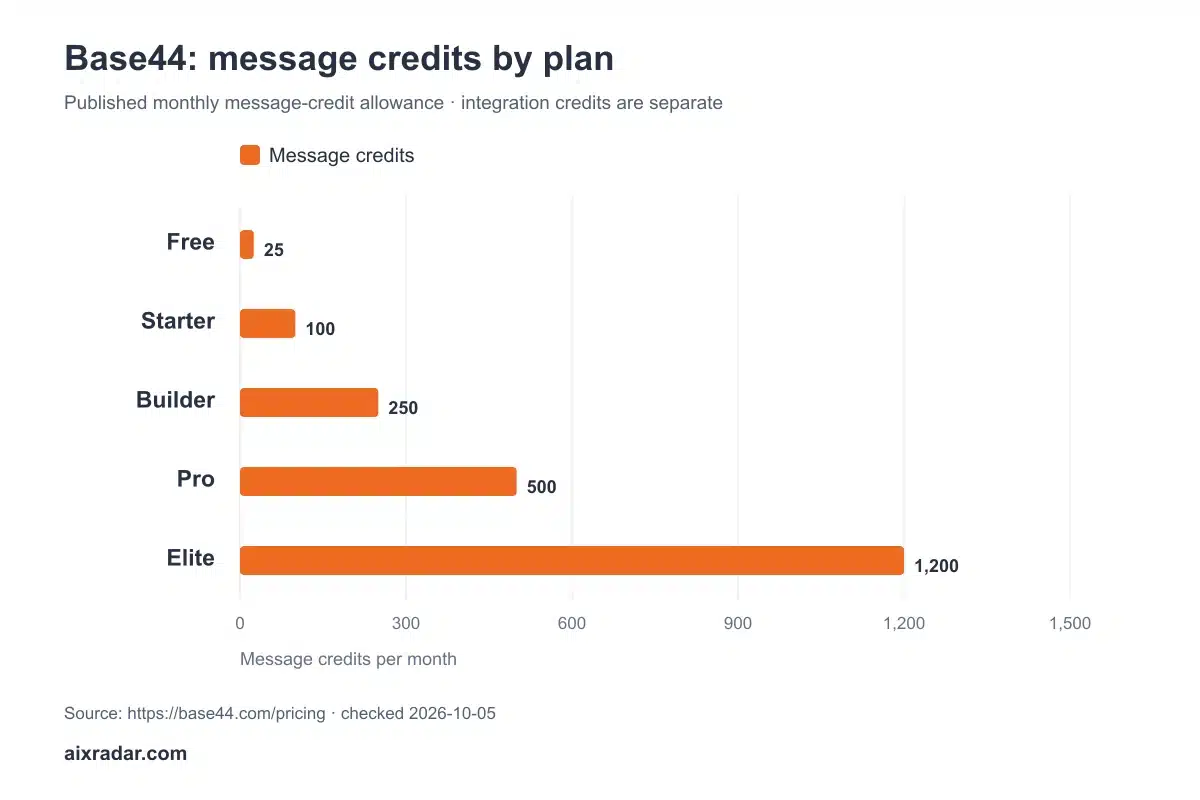
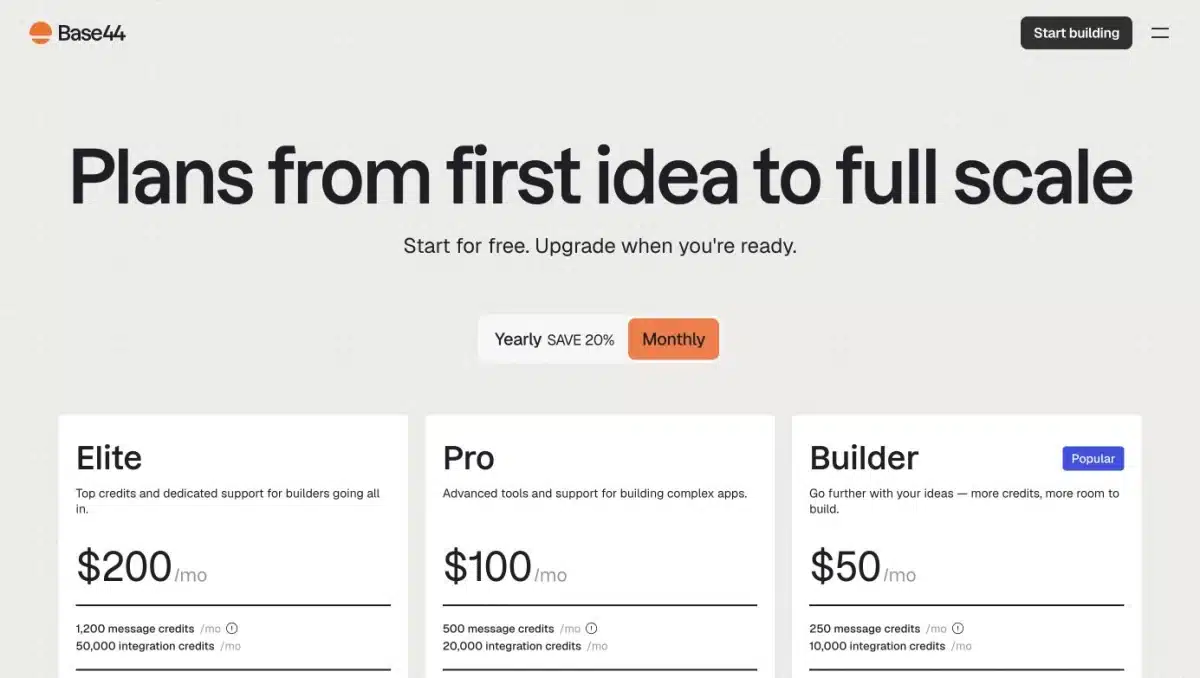
Base44 pricing and monthly credit allowances
| Plan | Monthly billing | Yearly monthly equivalent | Message credits/month | Integration credits/month |
|---|---|---|---|---|
| Free | $0 | $0 | 25 | 100 |
| Starter | $20 | $16 | 100 | 2,000 |
| Builder | $50 | $40 | 250 | 10,000 |
| Pro | $100 | $80 | 500 | 20,000 |
| Elite | $200 | $160 | 1,200 | 50,000 |
Base44 pricing and billing FAQ · checked 5 October 2026.
The Free plan lists up to five apps; paid plans advertise unlimited apps. That removes an app-count limit, not the monthly credit limits. The pricing page also says consumption varies with the action and selected AI model.
Building costs versus running costs
Separate the work you do in the builder from the work users trigger after launch. Rewriting a screen or debugging a workflow is a different budgeting problem from sending messages or invoking an external service. One prompt, one user and one integration action should not be assumed to cost one credit each.
Create two estimates. The build estimate should include initial development plus a reserve for revisions. The running estimate should include expected users, the actions each performs and how often they repeat. Keep those estimates separate so a busy launch does not hide ongoing integration consumption.
Turn an app idea into two budget sheets
Start the build sheet with a narrow first version. For example, an internal request tracker might need account access, a request form, an administrator view and status updates. Describe the acceptance criteria before prompting: who may view each record, what happens when a form is invalid, and which changes should notify someone. Clear requirements can reduce direction changes, although they do not guarantee a fixed credit cost.
Track credits after each meaningful stage: initial build, permission changes, layout revisions, integration setup and bug fixes. Keep failed attempts in the total. Counting only the final successful prompt understates what you spent to reach that result.
On the running sheet, list actions initiated by users, scheduled jobs and connected services. Estimate ordinary and busy-day volumes separately. Fifty users who mostly read existing records have a different workload from fifty users repeatedly triggering external AI processing. User count by itself is a poor proxy for integration consumption.
Use the application’s usage dashboard to replace assumptions with observed figures when available. Record the account’s charging unit rather than translating every action into one credit. The official pricing page explicitly says usage varies by action and selected model.
Two illustrative plan-choice examples
Imagine that a small internal tool needs 80 message credits and 1,500 integration credits during an ordinary month. If those were the measured requirements, Starter’s listed allowances would cover both. A workload of 80 messages and 3,000 integrations would exceed Starter’s integration budget even though its message balance looks comfortable.
Now imagine 200 message credits and 8,000 integrations. Builder covers those hypothetical totals, while Starter does not. This is a comparison of allowances, not a prediction of what a particular app will consume. Replace the example figures with actual usage before treating a plan as sufficient.
Annual Starter at the displayed $16 monthly equivalent works out to $192 for twelve months before taxes. Paying $20 monthly for a full year totals $240. The $48 difference must be weighed against committing for a year while requirements are still uncertain. The official FAQ states that annual billing charges the discounted twelve-month amount at once.
Which features can change the plan decision?
Starter lists custom-domain connection. Builder and higher add GitHub integration and more development features. A feature requirement can rule out a cheaper plan even if its credits appear sufficient. Check that requirement before buying, rather than planning around a feature visible only in a higher-tier demonstration.
Export and integration features also need a practical portability check: what can you export, what remains hosted, and what must be rebuilt if you move? A vendor’s ownership statement is useful context, but it is not evidence that migration has been tested for your application.
A feature requirement can outweigh a cheaper allowance
Consider a client portal that must use your domain and keep source changes in your own GitHub repository. The table alone might suggest Starter because the projected credits are low. The current cards, however, put GitHub integration on Builder and above. Check that feature requirement first; spare credits on an ineligible plan do not solve it.
For a learning project, Free may be enough to investigate the builder within its listed allowances. For a production project, write down what happens when either credit balance runs low and which services depend on it. Do not assume the presence of authentication and a database proves that permissions, backups or recovery have been tested for your app.
Keep an exit checklist alongside the cost estimate: exported source, exported data, domain control, external service ownership and any functionality dependent on hosted services. This guide has not performed a Base44 migration. The checklist identifies questions to resolve before your app becomes difficult to move.
Does the subscription cover every app expense?
The pricing FAQ says connected third-party providers, including Stripe, SendGrid and OpenAI, bill on their own terms. Add those charges separately. A plan comparison that includes only Base44’s subscription can understate the cost of an app with frequent email, payments or external AI calls.
For a sensible first budget, list the Base44 subscription, expected external services and any domain or specialist work. Count your development time separately. Avoid turning the lowest advertised plan into a promise of the total cost to launch an app.
Should you start with monthly billing?
Monthly billing is a useful way to establish usage before an annual commitment. Make a representative prototype, observe both balances and repeat the main user journey. Then choose the smallest plan that covers the limiting allowance and the features you actually need. See the AI coding tools category for related coverage.
Base44 or a coding-model subscription?
Base44’s pricing covers an app-building environment and its included infrastructure. A model subscription used inside a coding assistant is a different purchase. Our GLM Coding Plan guide explains an existing coding-client route; that route still needs a development and hosting workflow around it. Compare the total task you want completed rather than treating both monthly prices as equivalent.
Author and evidence: Prepared for AIX Radar under Malik Hasnain’s authorship using official pricing checked on 5 October 2026. We found no completed Base44 app test in the existing notes, so the workload examples remain explicitly hypothetical. See our evidence and testing approach.
Check Base44 plans. Confirm the billing period, final amount and renewal terms before paying.