
I’ve tested over a dozen text rewriting tools this year, and HumanizerPro (humanizeai.pro) kept showing up in recommendations. So I put it through the same test I run on every humanizer — a 300-word Claude Sonnet essay about social media and mental health. This comprehensive review covers my real results, the pricing, and whether this tool actually delivers on its promises of making ai text past ai detectors.
Short version? HumanizerPro’s own detector said the output was 0% AI. But an external tool told a very different story.

What Is HumanizerPro? A Plain-English Breakdown
HumanizerPro (also listed as humanizer.pro) is a text rewriting tool that processes ai-generated text to make it sound more human-sounding and beat detection tools. It uses advanced NLP processing modes to restructure sentences, swap vocabulary, and adjust writing patterns so the output reads like a human wrote it.
Founded by Kamran Khan, the tool launched its V2 redesign in April 2026. That update brought a completely new dashboard along with extra features: a built-in AI detector, an originality scanner, and an AI Fact Checker that flags hallucinations by cross-referencing claims against real sources. It also supports multiple languages and translation between them, which is a nice touch for non-English users — nothing else at this price point offers that.
The core idea is simple — you paste your ChatGPT or Claude output, hit humanize, and the tool rewrites it to dodge artificial intelligence content detection systems. But does it actually work? That’s what I wanted to find out.
My Test: Does HumanizerPro Actually Bypass AI Detectors in 2026?
I used the exact same 300-word essay I test every tool in this category with — written by Claude Sonnet, about social media’s impact on mental health. This keeps my comparisons fair across tools like WriteHuman, StealthGPT, and BypassGPT.
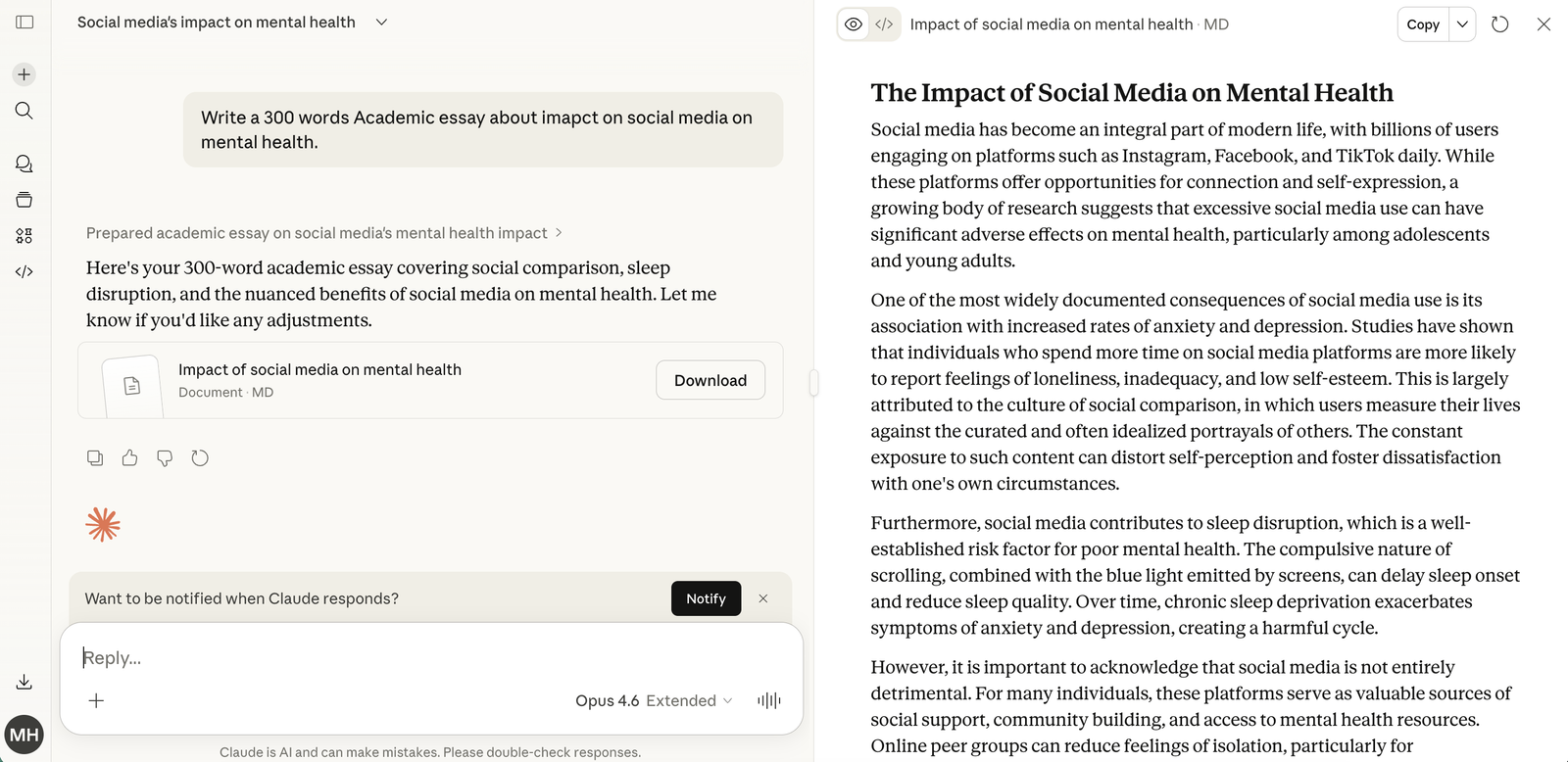
Here’s what happened:
I pasted the essay into HumanizerPro and hit the humanize button. Processing was fast — about 2-3 seconds. The humanized output looked natural enough at first glance, and HumanizerPro’s own scanner scored it at 0% AI. Looks perfect, right?
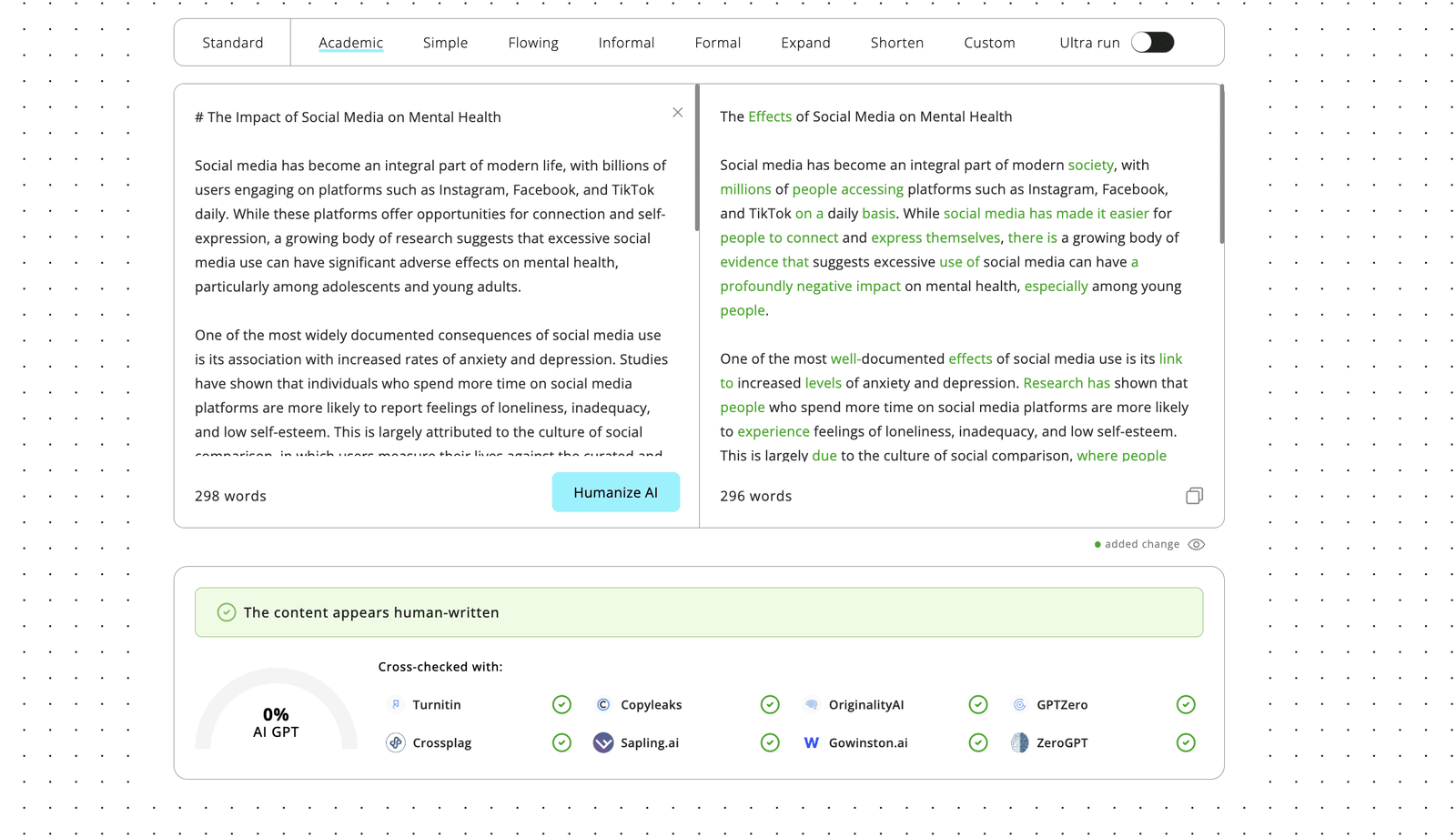
Not so fast. When I ran that same humanized output through an external scanner — one of the most widely-used AI detection tools in education — it flagged the text as 100% AI-generated. Not 80%. Not 95%. A full 100%.
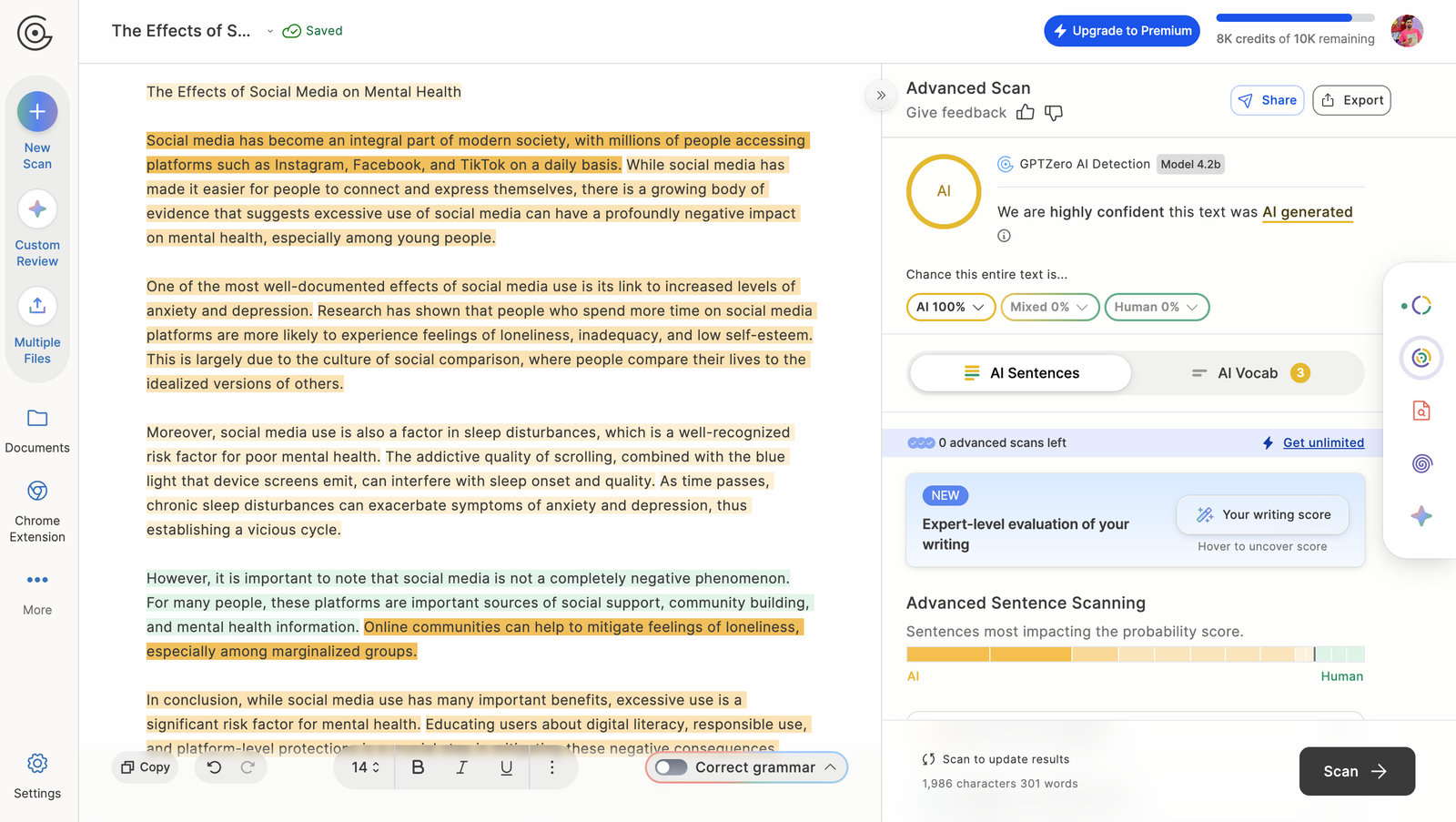
This was disappointing, but not surprising. Every single humanizer I tested — HumanizerPro, WriteHuman, StealthGPT, BypassGPT — got flagged 100% AI by the same external tool. The only tool that managed any human score at all was a competing product, which scored 6% human (94% AI). You can read our review of the top-rated option for the full breakdown, or grab a 20% discount on our top pick if you want to try it yourself.
Now, other reviewers report better results with longer texts. Third-party tests with 1,000-word GPT-4 blog posts show HumanizerPro scoring around 90% human in third-party tests and even passing Turnitin. The tool seems to perform better with longer ai content — my 300-word test may have been too short for its NLP engine to fully work its magic. It also consistently struggles against originality.ai, where even favorable tests show 21-38% flagged.
For a deeper look at how this popular detector works, check out our full review of that tool.
HumanizerPro Features: More Than Just a Humanize AI Tool
Since the V2 update, HumanizerPro has grown from a simple ai text rewriter into a small suite of tools. Here’s what you get:
AI Humanizer (Core Feature) — This is the main product. You paste text, choose your humanization mode, and it rewrites the text. The tool shows you exactly what changed, which I appreciate — most competitors just give you the output without showing edits. The humanization process preserves the original meaning better than basic paraphrasers though grammar errors do pop up occasionally in the output.
AI Detector — Scans your text and tells you how likely it is to be flagged as AI. Access varies by plan: Basic gets limited scans, Pro gets standard, and Advanced gets full access. Useful for quick checks, but as my test showed, its results don’t always match what major ai detectors report externally.
AI Originality Scanner — Checks your humanized output against online sources and can also detect reworded ai content. This is important because some these tools work by essentially paraphrasing — if the output triggers originality flags, it defeats the purpose. This feature gives you peace of mind before submitting an essay or publishing content.
AI Fact Checker — This is a newer addition. It verifies claims in your text against real sources and flags potential hallucinations. If you’re humanizing output from generative artificial intelligence tools like ChatGPT, this catches factual errors that the AI might have introduced. No API is needed — it works directly in the dashboard.
Multi-Language Support — Works in multiple languages beyond English, with built-in language detection and translation support.
Humanizer Pro Pricing: Which Plan Is Worth Your Money?
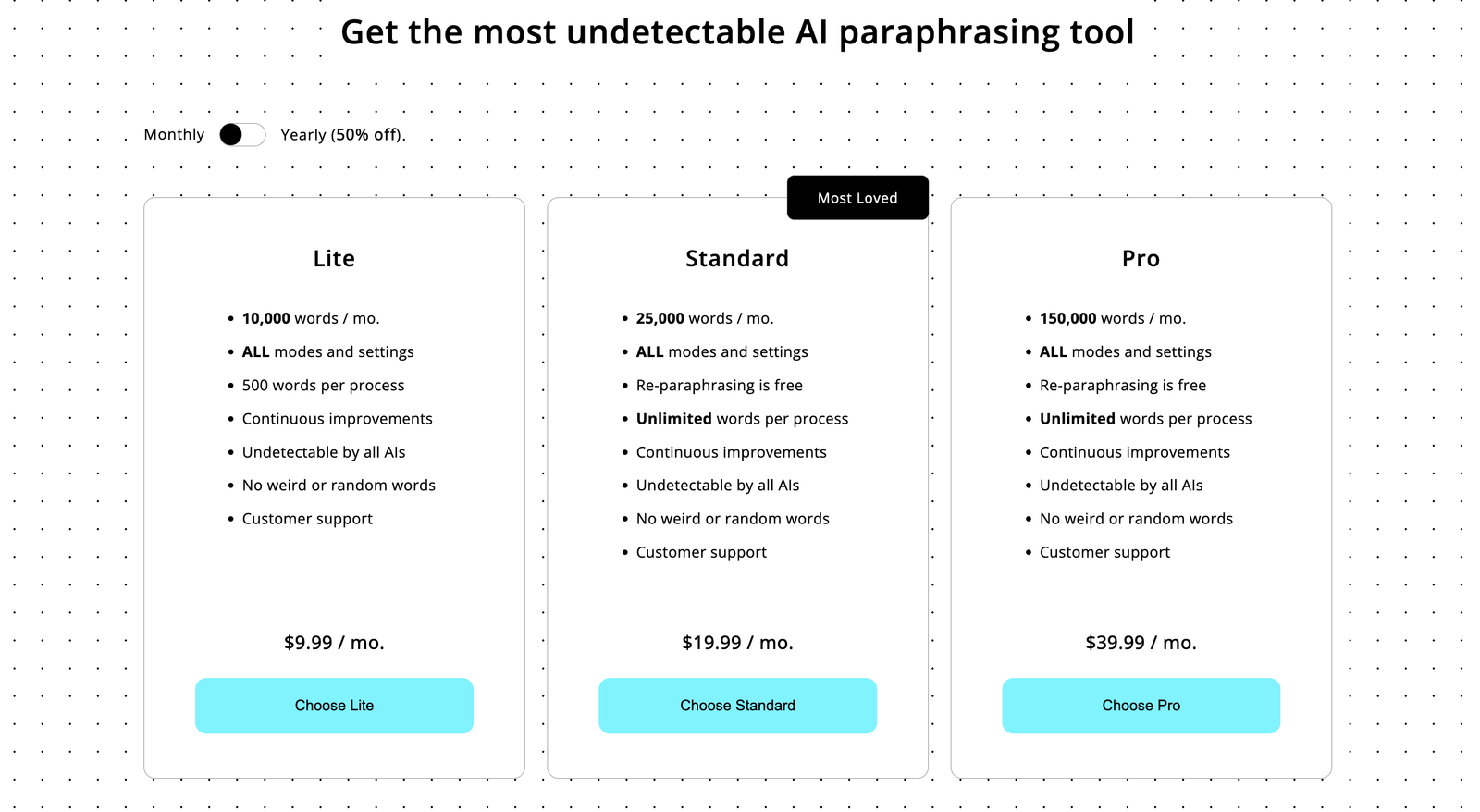
HumanizerPro offers three plans, all billed annually (no monthly billing option). Here’s the pricing breakdown:
Basic — $7/month ($84/year)
600 words per input, 180,000 words per year. Limited access to the AI detector, content scanner, and fact checker. This is fine if you’re only humanizing short pieces, but 600 words per input is restrictive compared to competitors.
Pro — $12/month ($144/year)
1,300 words per input, 600,000 words per year. Standard access to all detection tools. This is the sweet spot for most users who need to humanize text regularly.
Advanced — $19/month ($228/year)
3,000 words per input, 2,000,000 words per year. Full access to everything. Best for heavy users or anyone working with long-form content.
There’s a discount code — SPECIAL50 — that gives you 50% off for life. That brings the Basic plan down to $3.50/month, which makes it a good affordable humanizer for occasional use. All plans come with a 3-day Money-back guarantee, though that’s a tight window to properly evaluate any tool.
Compared to the competition, HumanizerPro is affordable. The top alternative starts at $19/month, and WriteHuman runs $15-$35/month. But remember — you’re locked into annual billing here.
Try HumanizerPro with the SPECIAL50 discount →
Pros and Cons of Humanize AI Pro: Honest Assessment
What I liked:
- Fast processing — results in 2-3 seconds, while competitors take 10-15 seconds
- Clean, purple-themed UI that’s easy to use even for beginners
- Transparent editing shows exactly what the humanizer changed
- Built-in detector, originality scanner, and fact checker in one dashboard
- Affordable pricing, especially with the SPECIAL50 code
- Preserves original meaning better than basic paraphrasers
What I didn’t like:
- Failed my external detector test completely (100% AI detected)
- grammar errors appear in humanized output — multiple users report this
- Repeated passes can produce nonsensical text with random numbers
- Struggles against stricter detection tools (38% AI detected in best cases)
- Free tier limited to ~300 words (reduced from a more generous allowance)
- Annual billing only — no monthly option for casual users
- Built-in detector results don’t match external ai detectors including popular tools like Copyleaks
How Do AI Humanizers Work? And How to Humanize Content for Best Results
Understanding how these tools work helps you get better output. These tools analyze patterns that ai detectors look for — things like sentence structure uniformity, vocabulary predictability, and perplexity scores. They then rewrite the text to break those patterns.
Here are some tips for getting the best results from HumanizerPro or any humanizer:
- Edit the AI output first — Add your own sentences, rearrange paragraphs, inject personal anecdotes. This gives the humanizer more “real human” material to work with.
- Use longer texts — Based on third-party tests, HumanizerPro performs significantly better with 700-1,000+ word inputs versus short paragraphs.
- Don’t run multiple passes — Re-humanizing already-humanized text tends to degrade quality and introduce errors.
- Cross-check with external detectors — Never rely on HumanizerPro’s built-in detector alone. Always verify with an external scanner like ZeroGPT or Copyleaks before submitting.
- Proofread for grammar — The rewriting process sometimes introduces awkward phrasing or grammatical mistakes. Always review the output manually.
HumanizerPro vs QuillBot vs the Competition: Which Tool Wins?
I’ve tested all the top options side by side. Here’s how they stack up:
HumanizerPro vs QuillBot: QuillBot is primarily a paraphrasing tool, not a dedicated humanizer. It’s cheap (free tier available) and fast, but it’s weak against serious detection tools. HumanizerPro does a better job at rewriting output specifically designed to beat detectors. That said, QuillBot is still useful for basic rewording where detection isn’t a concern.
HumanizerPro vs the leading alternative: In my testing, the top-ranked competitor was the only tool that scored any human percentage (6% human vs HumanizerPro’s 0%). That tool is pricier at $19+/month, but it performs more consistently against strict scanners. If bypassing serious detectors is your priority, check our list of best AI humanizer tools for a full comparison.
HumanizerPro vs WriteHuman: WriteHuman costs $15-$35/month and scored about 84% bypass rate in broader tests — slightly lower than HumanizerPro’s reported 88-90% in third-party reviews. Both failed my personal test, though. WriteHuman is slower at 9-14 seconds vs HumanizerPro’s 2-3 seconds. Read our WriteHuman review for the full comparison.
HumanizerPro vs Monica AI: Monica offers ai humanization as part of a broader AI assistant toolkit — less specialized, but useful if you want an all-in-one solution.
Can HumanizerPro Bypass AI Content Detectors for SEO and Academic Use?
For SEO content: If you’re using generative artificial intelligence to produce blog posts and want to humanize ai text before publishing, HumanizerPro can help clean up the automated tone. However, Google’s stance is that ai-generated content isn’t inherently penalized — what matters is quality. I’d focus more on adding genuine expertise and first-hand experience to your content rather than just running it through a humanizer to trick ai detectors.
For academic use: This is riskier. My test showed the scanner still catching the humanized output as 100% AI. If your university uses popular detection tools or Turnitin with its scanner enabled, HumanizerPro alone may not be enough. Third-party tests show better results with longer Essay submissions (700+ words), but I’d still recommend heavily editing the output yourself. Using these tools to bypass content scanning in academic settings raises ethical questions worth considering.
The free ai humanizer tier (around 300 words) lets you test before committing money to a paid plan, which I recommend doing with your specific use case.
Customer Service, Refund Policy, and Humanizer.pro Reliability
HumanizerPro offers a 3-day money-back guarantee, which is shorter than most competitors. There’s no live chat — support is handled via email. The V2 update in April 2026 was a major overhaul, suggesting the team is actively developing the product. The founder, Kamran Khan, has been responsive on Reddit about updates and bug reports.
One concern: the annual-only billing means you’re committing $84-$228 upfront. With only a 3-day refund window, you need to test quickly. Keep an eye on the free tier first, then signing up for Basic with the SPECIAL50 code to minimize risk.
Verdict: Is Humanize AI Pro Worth It in 2026?
HumanizerPro is a mixed bag. On the positive side, it’s fast, affordable, and the V2 dashboard is genuinely pleasant to use. The addition of an originality scanner, fact checker, and built-in detector gives you a decent all-in-one toolkit for humanizing ai content. At $3.50/month with the SPECIAL50 discount, it’s hard to argue with the value.
But the scanning results tell the real story. In my hands-on test, it failed to pass the leading scanner — which matters most for students and professionals. And while third-party tests with longer texts show better performance (88-90% human in broader tests), it still struggles against originality.ai. If your goal is to make text slip past all detectors, HumanizerPro isn’t quite there yet.
My recommendation: If you need a budget-friendly humanizer primarily for lighter detection tools and basic avoidance, HumanizerPro with the SPECIAL50 code is decent value. If you need to pass stricter scanners or pass stricter scanners, you’ll want to look at the top-rated option instead — it’s pricier but performed better in every test I ran.
Try HumanizerPro (50% off with code SPECIAL50) →
Frequently Asked Questions
Does HumanizerPro pass detector checks?
In my test with a 300-word essay, HumanizerPro’s output was flagged as 100% AI by a leading scanner. Third-party tests with longer texts (1,000+ words) report better results around 88-90% human. Results vary by text length and content type.
Is HumanizerPro free to use?
HumanizerPro offers a limited free tier of about 300 words. Paid plans start at $7/month (billed annually). Use code SPECIAL50 for 50% off all plans for life.
How does HumanizerPro compare to top competitors?
The top-rated competitor performed better in my testing, scoring 6% human compared to HumanizerPro’s 0%. That tool costs $19+/month but is more consistent overall. HumanizerPro is more affordable and faster.
Does HumanizerPro check for copied content?
Yes, HumanizerPro V2 includes a built-in originality scanner that checks against online sources and detects rephrased passages. Access depends on your plan (Limited, Standard, or Full).
Is it safe to use these tools for school essays?
Using these tools for academic submissions carries risks. Detection tools are constantly improving, and many universities consider submitting such content a form of academic dishonesty. Even if the text passes detection today, policies and tools evolve quickly.