Most reviews of GPTZero test it once, screenshot the result, and call it a day. That’s not what happened here. I spent weeks using this ai detector as my go-to cross-check tool while reviewing 7 different AI humanizer tools — Undetectable AI, WriteHuman, BypassGPT, StealthGPT, HumanizerPro, HumanizeAI, and Clever Humanizer. Every single humanized output got pasted in. So this gptzero review isn’t based on a single test. It’s based on dozens of scans across multiple tools, over multiple weeks.
The short version? It caught almost everything. Only one humanizer managed to get any human score at all — and even that was just 6%. The rest? Flagged 100% AI. Every. Single. Time.
Here’s the full breakdown — accuracy results, pricing, features, false positive concerns, and how it stacks up against other ai detection tools.
Quick Answer: GPTZero caught 6 out of 7 AI humanizers at 100% AI detected. Only Undetectable AI got a partial human score (6%). For detecting AI-generated content, it’s the most reliable free option available in 2026 — but it’s not perfect on human-written text.
What Is GPTZero and How Does It Detect AI-Generated Text?
GPTZero is a tool designed to detect synthetic content — text written by ChatGPT, GPT-4, Claude, Gemini, LLaMA, and other models. It was founded by Edward Tian, a Princeton computer science student, back in early 2023. What started as a side project blew up pretty fast. The company raised $3.5M in seed funding and followed that with a $10M Series A by 2024.

Paste in text, and the tool tells you whether it was likely written by a human or generated by ai. It analyzes sentence-level patterns — perplexity, burstiness, and other signals — then gives you a probability score. Each sentence gets highlighted: orange for likely AI, green for likely human, yellow for mixed. The whole scan takes maybe 3-4 seconds on a 300-word piece (I timed it more than once out of sheer curiosity).
Since launch, the platform has grown into a full ai detection suite. Originality checks, grammar feedback, a Chrome extension called “Origin,” integrations with Canvas, Moodle, and Blackboard, plus an API that supports 17 languages. Co-founders Alex Cui and Yazan Mimi are still involved. They’ve also partnered with the American Federation of Teachers — which gives some institutional credibility that most ai detectors don’t have.
As of 2026, the platform runs on a 4.2b model. That’s what I used for all my testing.
How I Tested GPTZero — My Cross-Check Tool Across 7 Humanizers
Here’s the context. I’ve been reviewing best AI humanizer tools for AIX Radar — testing whether they can actually bypass ai detection. For every review, I needed a reliable detector to use as a cross-check. GPTZero became that tool.
My process was the same every time: take a 300-word essay written by Claude (the same essay for all tests — consistency matters), run it through the humanizer being reviewed, then paste the humanized output in to see what comes back.
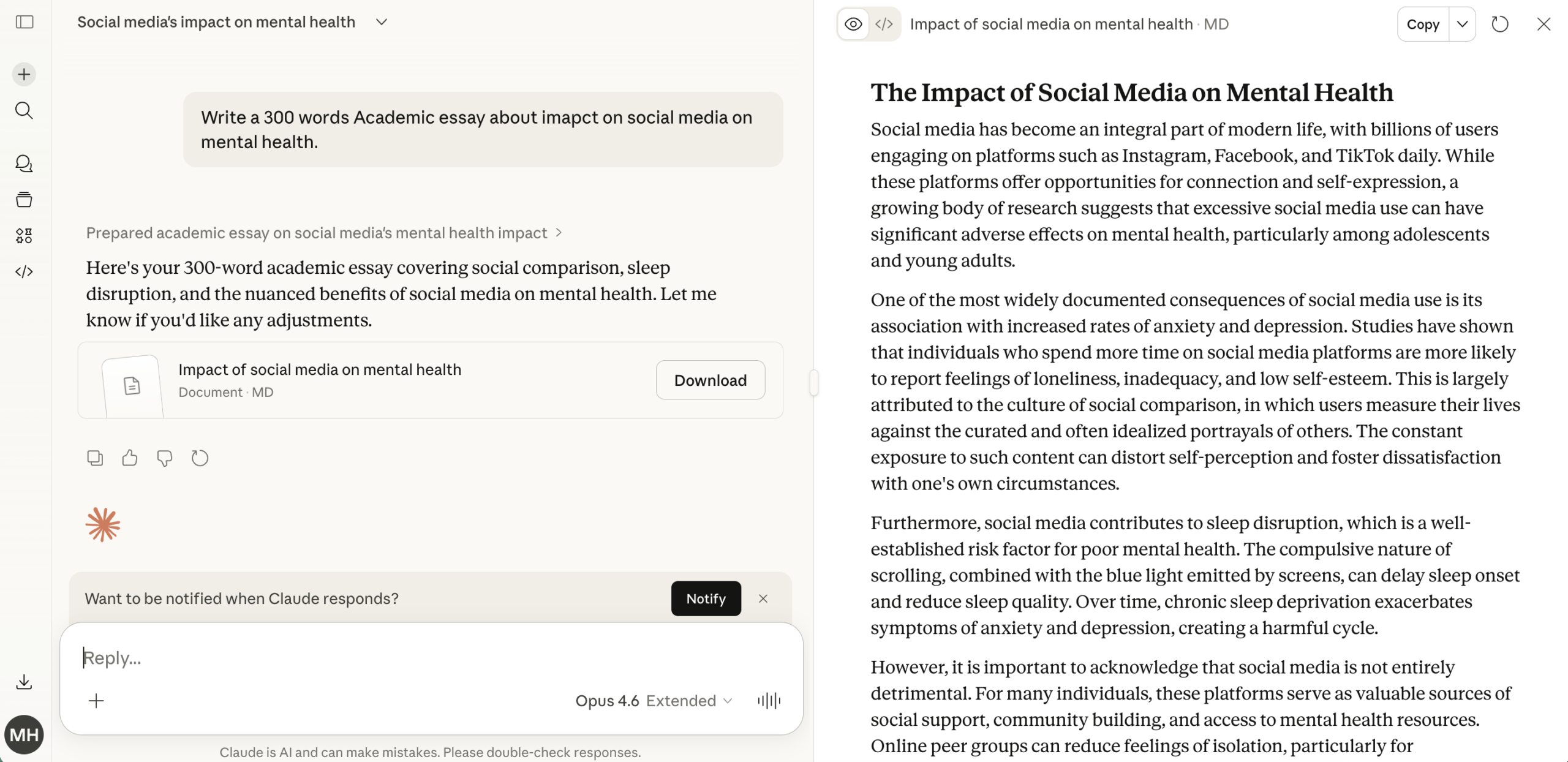
I used the free tier the entire time. No email signup required for basic scans — you just go to gptzero.me and paste your text. That’s it. Results come back in seconds (honestly, it’s fast — way faster than tools like BypassGPT’s multi-detector scan that takes 5+ minutes).
I ran scans during my Undetectable AI review, my BypassGPT review, my StealthGPT review, my HumanizerPro review, and three more. Seven humanizers total. So when I say I’ve used GPTZero extensively — I mean it. This wasn’t a one-afternoon test.
Accuracy Results — 7 Humanizer Tools Tested
The numbers. Here’s what GPTZero reported for each humanizer’s output when I fed it the same Claude-written essay after humanization:
| Humanizer Tool | Result | Notes |
|---|---|---|
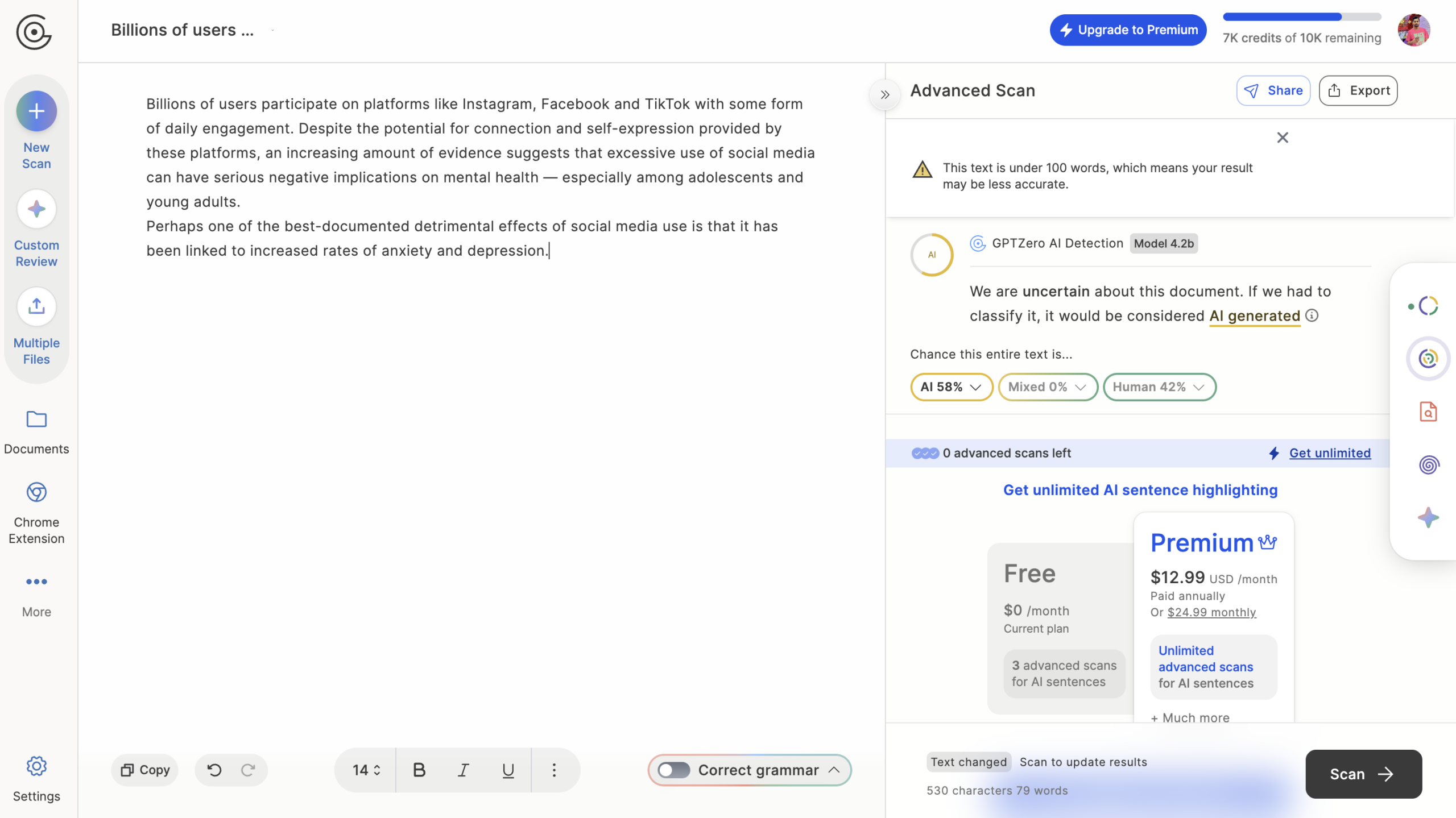
| Undetectable AI | 94% AI / 6% Human | Only tool with ANY human score |
| WriteHuman | 100% AI | Caught completely |
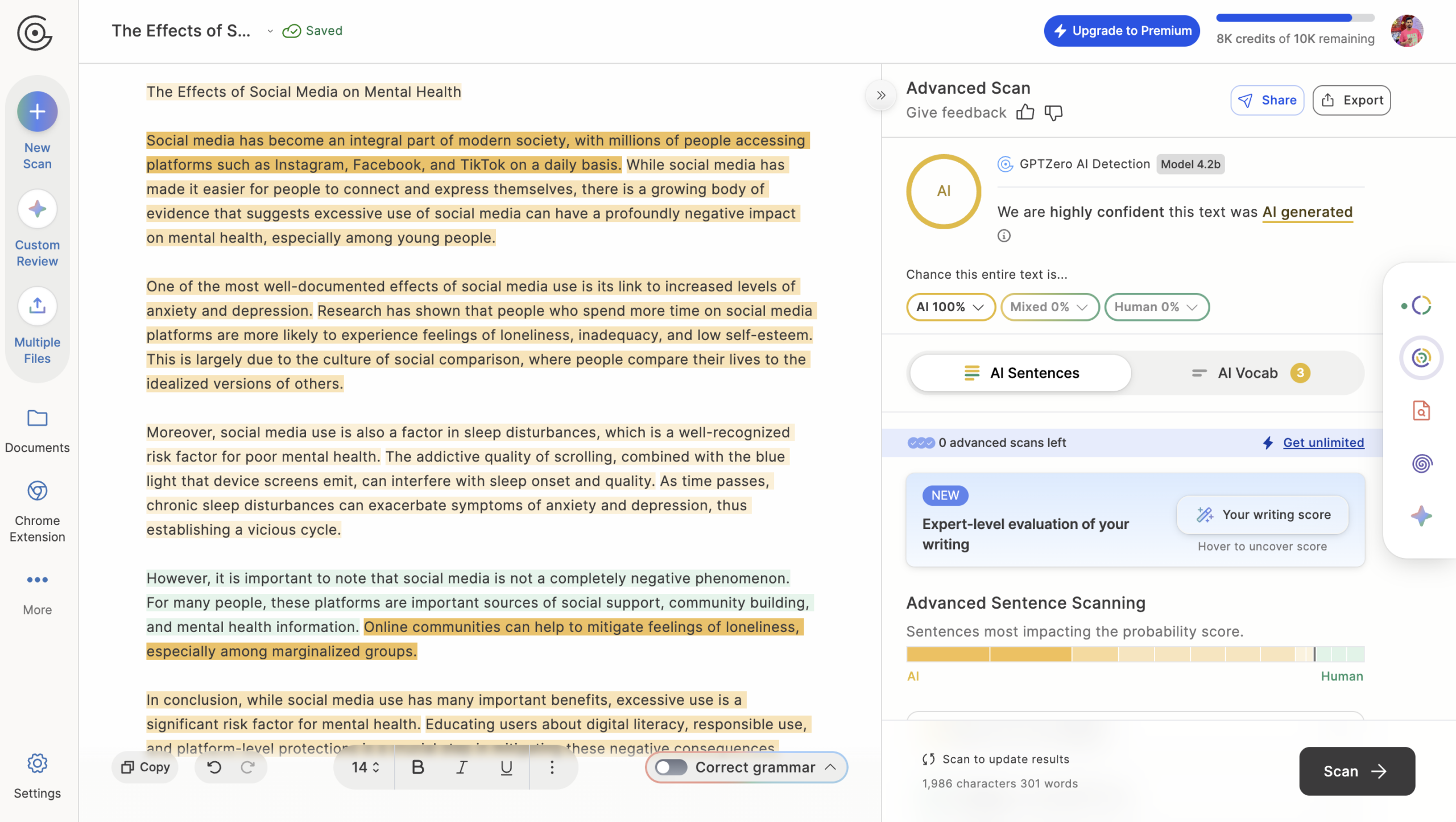
| BypassGPT | 100% AI | Caught completely |
| StealthGPT | 100% AI | Caught completely |
| HumanizerPro | 100% AI | Caught completely |
| HumanizeAI Pro | 100% AI | Caught completely |
| Clever Humanizer | 100% AI | Caught completely |
How to Read GPTZero Scores — What Do the Numbers Actually Mean?
One thing I noticed first-timers get confused about: what does it mean when GPTZero says “73% AI”? Here’s a quick breakdown so you know how to interpret results.
- AI Detector vs AI Humanizer Tools
- Best AI Detector Tools
- 0–10% AI probability — Very likely human-written. Don’t panic over a 5%. That’s essentially clean.
- 10–40% AI probability — Mixed or uncertain. Could be human writing with consistent phrasing, or lightly AI-assisted. Warrants a closer look.
- 40–75% AI probability — The gray zone. This is where you see edited AI drafts or heavily humanized content land. A 73% score here means the tool is fairly confident something non-human is going on — but not certain enough to call it definitively. I saw a couple of humanizer outputs in this range, though most went straight to 100%.
- 75–100% AI probability — Strong AI signal. At 90%+ the tool is highly confident the text was generated by an advanced AI model. At 100% it’s calling it outright AI. This is where all 6 of the humanizers in my test landed.
GPTZero also shows a confidence level alongside the probability — high, moderate, or uncertain. A 73% AI score with “moderate” confidence means something different than a 73% with “high” confidence. The sentence-level highlighting adds more nuance: orange sentences are the ones dragging the score up, green ones are helping bring it down. Together, these signals help you use gptzero more accurately than just looking at the headline number.
Six out of seven humanizers scored 100% AI. Not 98%. Not 95%. Full 100%. The only tool that managed to get any human score was Undetectable AI — and even that was just 6% human. (If you’re curious about Undetectable AI, I have a separate review and an Undetectable AI promo code — use code MALIK for 20% off at this link.)
Pretty remarkable detection rate. The detector didn’t flinch. Didn’t matter whether the humanizer used synonym swapping, sentence restructuring, or more sophisticated ai paraphrasing techniques — everything got caught.
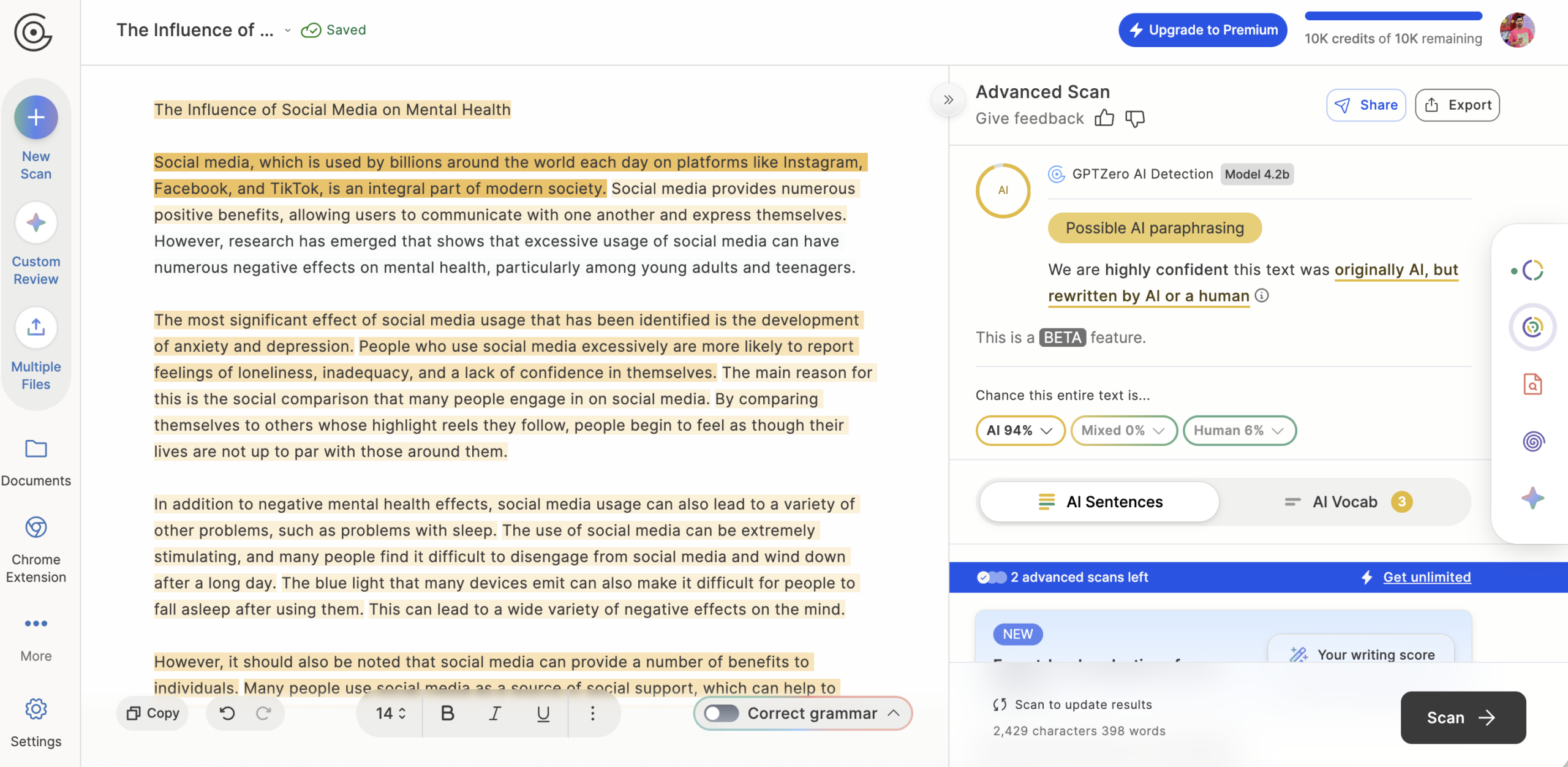
Above: the result on Undetectable AI’s output — the best any humanizer managed. 94% AI, 6% human.
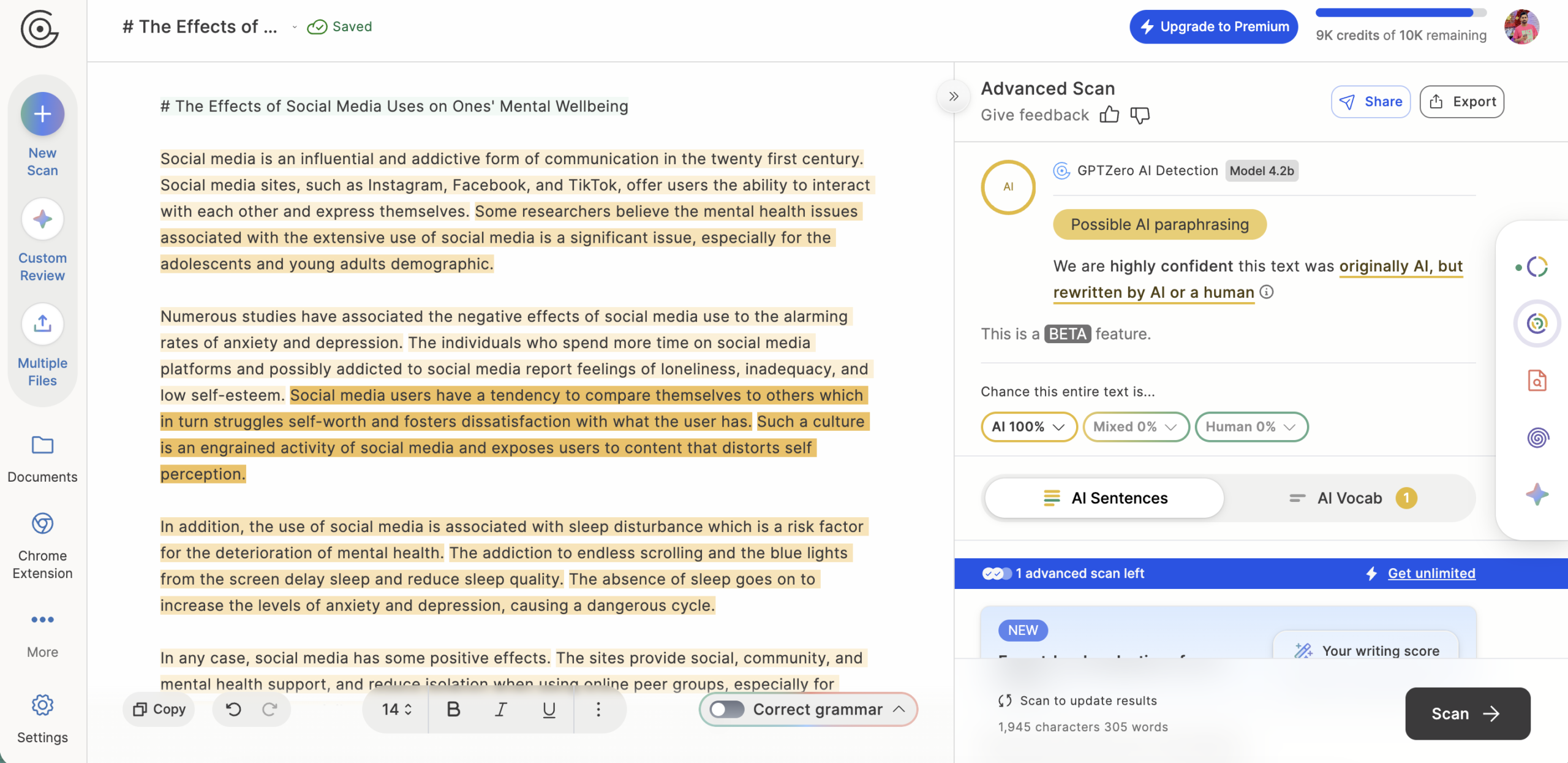
WriteHuman’s enhanced model claimed 100% human on its own dashboard — but GPTZero disagreed entirely. Flagged at 100% AI. For a deeper dive, check out our TruthScan review. We also cover this in our Originality AI review.
BypassGPT humanized the full 300 words in about 10 seconds. GPTZero’s verdict? Still 100% AI. The rewrite added filler phrases like “Fuyao” (nonsensical) but didn’t fool the detector.
HumanizerPro (humanizeai.pro) showed 0% AI on its own internal check — but GPTZero flagged the output at 100% AI. A classic case of internal scores not matching reality.
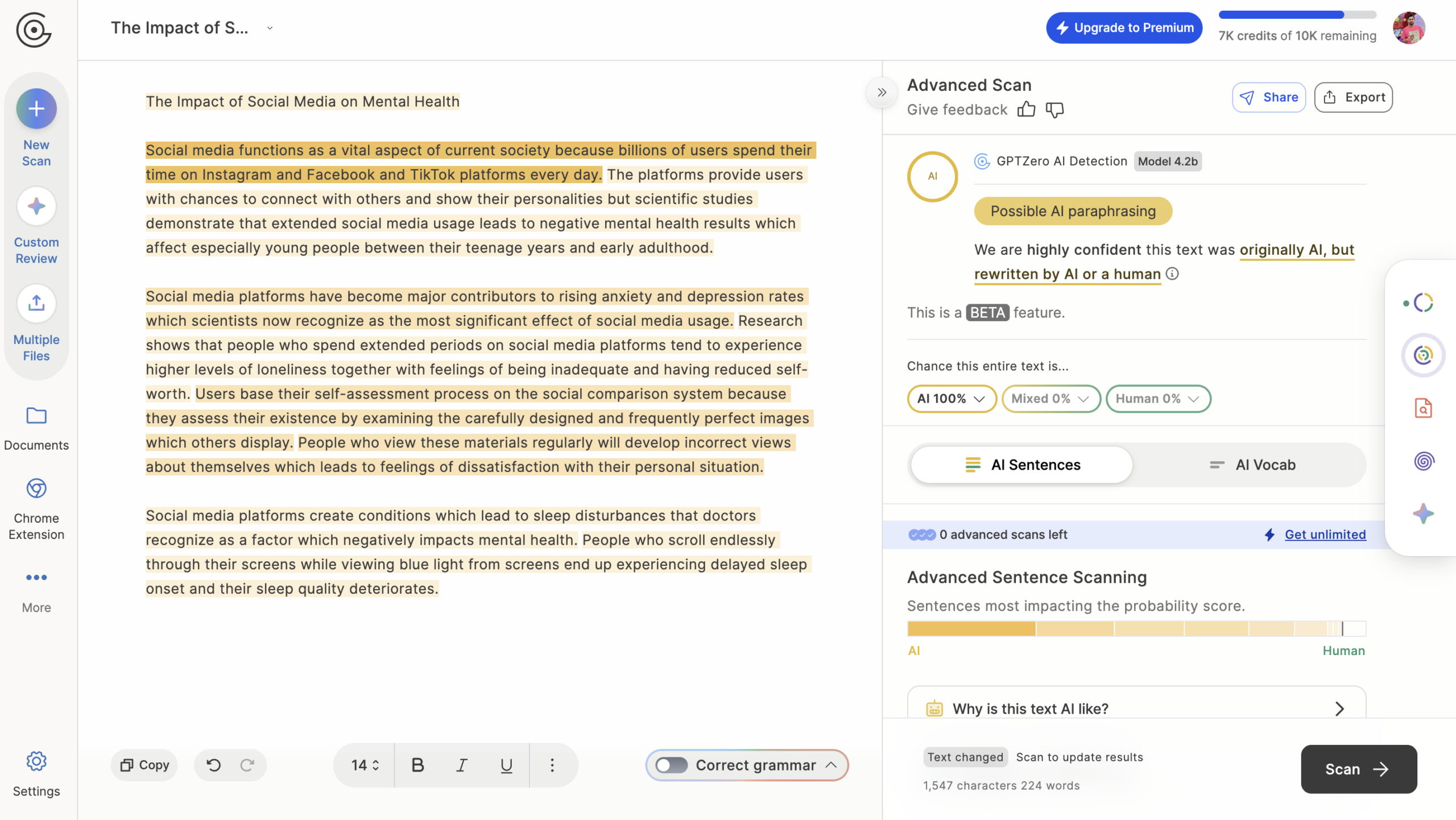
HumanizeAI.com’s output was also caught at 100% AI. The humanized text came out more verbose but didn’t change the statistical patterns enough to fool the detector.
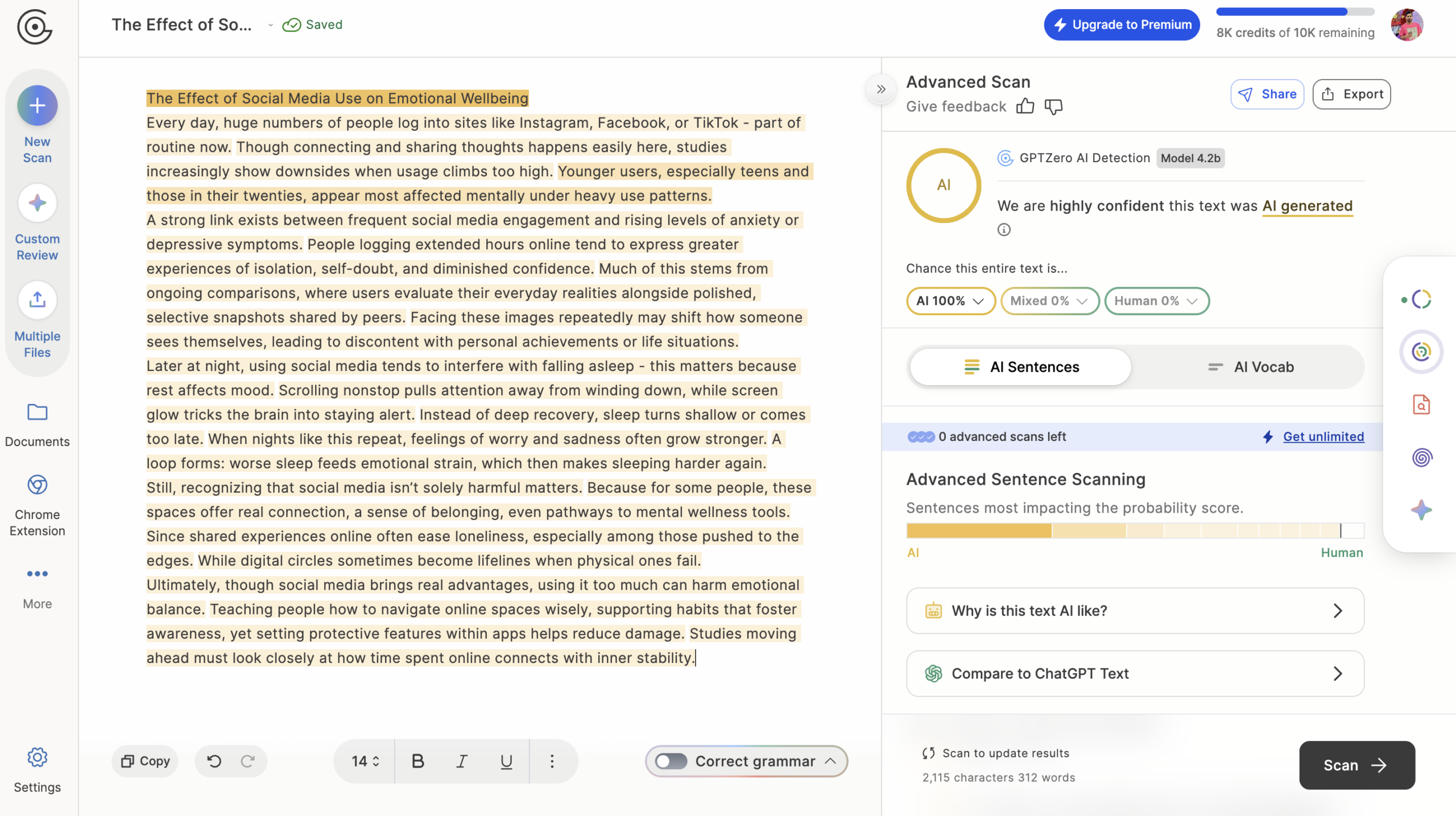
Clever Humanizer didn’t even display a confidence score on its own dashboard — and GPTZero confirmed why. 100% AI flagged, same as the rest.
And for the baseline — the original raw Claude essay was correctly flagged as ai too. No surprises there. Pure AI output is easy for any decent detector. The real test was the humanized outputs, and those got caught with ease.
GPTZero Features Worth Knowing About
I was on the free plan for all my testing, so I didn’t touch every feature. But here’s what the platform offers — and what I actually noticed while using it.

Core AI Detection
The main feature. Detects ai-generated text from ChatGPT, GPT-4, Claude, Gemini, and LLaMA. You get a human/AI/mixed verdict with confidence levels (high, moderate, or uncertain). The sentence-level highlighting is genuinely useful — each sentence gets color-coded so you can see exactly which parts triggered the detector. Orange means likely AI. Green means likely human. Yellow sits somewhere in between. Basically a heat map for ai content. I found myself checking which specific sentences broke through the humanization and which didn’t (spoiler: almost none did).
Plagiarism Checker + Integrations
Premium plans bundle copy detection alongside ai detection — so you can check for both in one scan. I didn’t test plagiarism specifically, but it’s there if you need it. Where GPTZero pulls ahead of simpler ai checkers is the integration list:
- LMS integrations — Canvas, Moodle, Blackboard
- Chrome extension “Origin” for checking text on any webpage
- Google Docs addon and Word Add-in
- API supporting 17 languages with Node, Python, and Java SDKs
- Zapier integration for workflow automation
- Batch scanning for Premium users
The platform also supports direct file uploads in DOCX, TXT, and PDF formats — handy if you want to scan a document without copy-pasting everything. For educators, the LMS integrations are a big deal. For content teams, the API and batch scanning matter more. Both use cases are covered — which is kind of rare among ai detectors.
Other Features
Grammar and clarity feedback, hallucination checking, authorship writing reports, PDF report export. I didn’t test all of these — I was focused on detection accuracy. But the platform is clearly trying to be more than a one-trick tool.
GPTZero Pros and Cons: What Actually Matters in 2026
✅ Pros
- Generous free plan — 10,000 words/month, no signup needed for basic scans
- Sentence-level highlighting makes it easy to detect ai-generated content line by line
- Strong performance against humanized text — caught 6/7 humanizers at 100% AI
- Wide integrations: Canvas, Moodle, Blackboard, Google Docs, Word, Zapier, API
- Supports DOCX, TXT, and PDF uploads directly
- API covers 17 languages — useful for multilingual content teams
- Confidence levels (high/moderate/uncertain) add context to scores
❌ Cons
- False positive risk — non-native English writers and creative text can get flagged incorrectly
- No standalone plan for very high-volume enterprise use (that’s what Copyleaks and Turnitin are for)
- Plagiarism check only bundled into paid tiers
- Accuracy dips on heavily paraphrased or mixed human/AI content
- No real-time scanning for live documents on the free plan
GPTZero Pricing 2026
Here’s the current pricing breakdown:
| Plan | Monthly Price | Words/Month | Key Features |
|---|---|---|---|
| Free | $0 | 10,000 | Basic scan, ~3-5 advanced scans |
| Essential | ~$8.33/mo | ~150,000 | Basic AI scans, grammar checks |
| Premium | ~$12.99/mo | ~300,000 | Advanced scans, plagiarism |
| Professional | ~$24.99/mo | ~500,000+ | Team features, batch scanning |
| Enterprise | Custom | Custom | Shared credits, API access |
Annual billing saves you 30-45%, which is worth it if you’re scanning regularly. The free plan is honestly generous for casual use — 10,000 words per month is enough to check a handful of documents. I used the free plan for all my testing and never hit the limit (though I was checking short 300-word essays, not full articles).
For content teams or educators who need daily scanning, Essential or Premium makes sense. Professional tier? Really for agencies or institutions doing high-volume work.
The False Positive Problem
I need to be honest about something. GPTZero crushed it in my humanizer tests — but that’s only half the story. The other half is false positives: when an ai detector flags human writing as ai-generated.
This is a real problem. Not theoretical. There are documented cases of students being accused of using ai when they wrote their essays themselves. Non-native English speakers seem to get hit harder — their writing patterns can look “too uniform” to detectors, triggering a misclassification. Creative writing with unusual structures can also get flagged incorrectly.
I’ll be upfront: I didn’t specifically test on human-written samples during my humanizer reviews. My focus was on detecting ai-generated content, not testing the other direction. So I can’t give you a personal error rate on that front. Actually, let me clarify — I did notice that within the humanized outputs, certain sentences would show lower AI probability (more yellow than orange in the highlighting). So the model isn’t just slapping a blanket “AI” label on everything. There’s sentence-level nuance happening, which is a good sign.
The company claims roughly 99% accuracy on untampered AI content and about 96.5% on mixed content. Independent testing (including benchmarks from researchers like Liang et al. at Stanford) generally confirms 98%+ on pure ai text. But those numbers drop when text has been edited or paraphrased — though as my results show, even humanized text got caught most of the time.
Bottom line: ai detectors aren’t perfect. No detection tool is. If someone’s academic career or professional reputation is on the line, a single scan shouldn’t be the final verdict. Human review should always follow. Tools like GPTZero are best used as a first-pass screen, not a judge and jury.
GPTZero vs Originality.ai vs Turnitin: Which AI Detector Is Best?
How does it stack up against other options? Here’s a comparison based on my research and hands-on experience:
| Tool | Strengths | Weaknesses | Starting Price |
|---|---|---|---|
| GPTZero | Broad integrations, detailed highlighting, strong on humanized text | Flags edited text incorrectly | Free + $8-25/mo |
| Originality.ai | Copy + AI combo | Accuracy varies on paraphrased content | ~$9.95-14.95/mo |
| Turnitin | Institutional trust, widely adopted | Enterprise only, expensive | Custom |
| Copyleaks | 30+ languages, enterprise API | Credit-based pricing gets expensive | Custom |
| ZeroGPT | Free and easy to use | Simpler, less accurate | Free + paid |
| Winston AI | OCR support, deep features | Higher error rate | ~$12-26/mo |
Originality.ai is probably the closest direct competitor — solid for combined plagiarism + AI checks, but I’ve seen reports of its accuracy wobbling on paraphrased text. Turnitin dominates institutions but forget about it if you’re a freelancer or small team (no individual plans, pricing is opaque). Copyleaks is strong for multilingual enterprise use but gets pricey with credit-based billing. ZeroGPT works for quick free checks, nothing more. Winston AI has interesting OCR features but gets mixed feedback on detection accuracy.
What separates GPTZero for me? The combination of a usable free plan, that sentence-level highlighting (I genuinely relied on it during reviews), and the accuracy I witnessed across 7 humanizer tests. That said — and I’ll keep saying this — run content through multiple detectors if the stakes are high. No single tool should be your only check.
GPTZero Review Verdict: Is It the Best Free AI Detector in 2026?
After weeks of using GPTZero to test outputs from 7 AI humanizer tools — yes. Accurate, fast, and the free plan actually works for casual use. It correctly identified ai-generated content from every humanizer I threw at it, with only Undetectable AI managing to sneak past with a 6% human score.
Is it perfect? No. False positives are a real concern, especially for non-native English writers and creative work. And ai detection in general is an arms race — as humanizers improve, detectors need to keep up. But right now, GPTZero is one of the best options available for the price (which is free for basic use).
Who should use it:
- Educators — Check student submissions for AI. The LMS integrations make this practical, not just possible.
- Content teams — Verify that freelancer work is actually human work, not ai-generated text passed off as original.
- Editors and publishers — Use it as a first-pass screen before human review.
- Anyone testing AI humanizers — It’s a reliable ai detector for benchmarking whether humanizers actually work. (Spoiler: most don’t.)
Who should skip it: If you need ai detection at enterprise scale with 30+ language support, Copyleaks or Turnitin might serve you better. If you just want a quick free check and don’t need detailed analysis, ZeroGPT is fine.
But for most people? GPTZero is the ai detector I’d recommend trying first. It’s the one I kept coming back to across all my humanizer testing — and it delivered consistent results every time.
GPTZero Review Summary: Ratings by Category
| Category | Rating |
|---|---|
| Accuracy (raw AI text) | ⭐⭐⭐⭐⭐ |
| Accuracy (humanized text) | ⭐⭐⭐⭐⭐ |
| Ease of use | ⭐⭐⭐⭐⭐ |
| Free plan value | ⭐⭐⭐⭐ |
| Handling of human text | ⭐⭐⭐ |
| Integrations | ⭐⭐⭐⭐⭐ |
| Overall | ⭐⭐⭐⭐½ |
GPTZero FAQ — Common Questions Answered
More AI Detector & Verification Guides
Continue through the AI detector silo with our tested reviews, coupon guide, and related humanizer benchmarks.