
An Otter transcript export should match what the next person needs to do. A writer may need editable text, a video editor may need timed captions, and a colleague may need controlled access to the conversation rather than a downloaded file. These are different handovers.
This guide explains the official format and permission rules, then gives you a practical review process. We checked Otter’s documentation on 16 October 2026. We have not run a new transcription test or measured accuracy, and the examples below are editorial scenarios.
Which Otter export format should you choose?
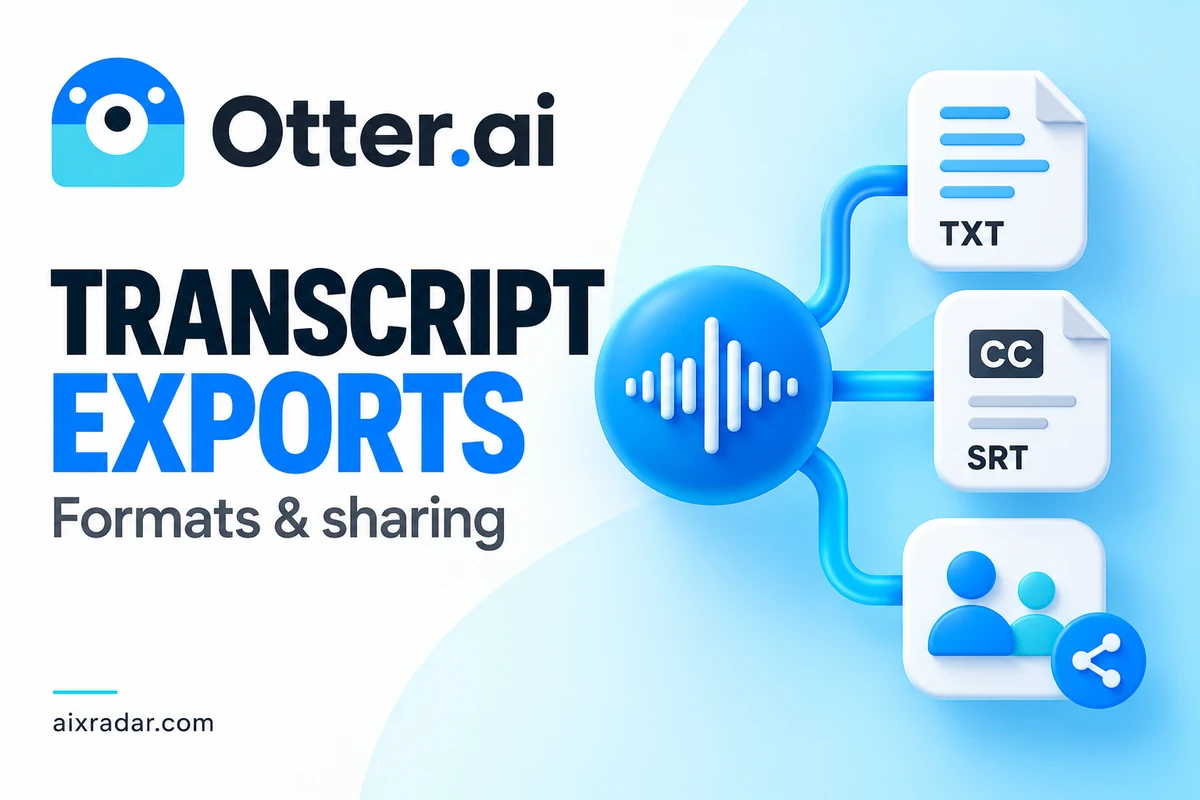
The official export guide distinguishes TXT, DOCX, PDF and SRT, plus a clipboard option. It also documents separate MP3 audio export. Basic is limited to TXT for conversation text; additional formats require a paid plan.
| Format | Practical use | Handover check |
|---|---|---|
| TXT | Plain transcript for text processing or basic editing | Will the reader understand speaker changes? |
| DOCX | Editing and commenting in a word processor | Are required labels and structure retained? |
| A read-oriented document | Is the layout readable on the recipient’s device? | |
| SRT | Timed captions for compatible video software | Does it align with the final video cut? |
| MP3 audio | An audio handover separate from transcript text | Is the recording appropriate to share? |
Start with the recipient’s task rather than exporting every format. An editor who needs to revise quotations may prefer an editable document. Someone publishing captions needs timing information. A team reviewing a meeting may benefit from a shared conversation with permissions rather than several competing file copies.
How the documented export process works
On the web, Otter documents opening a conversation, choosing Export from its three-dot menu, selecting the output and reviewing the available settings. Those settings can include speaker names, timestamps and paragraph grouping. On mobile, the export control appears in the Transcript tab.
Choose a filename that identifies the recording and revision. If the source has already been corrected, indicate which version was exported. Do not overwrite a reviewed file with an unreviewed version simply because the default filename is the same.
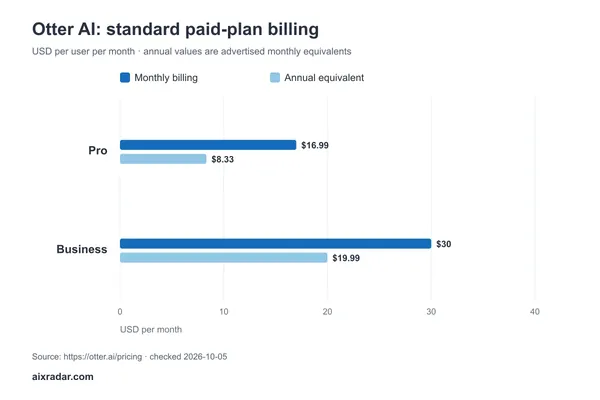
For plan costs and recording allowances, use our Otter pricing and import-limit guide. The export decision comes after the recording and processing allowance: enough minutes alone do not establish that your required deliverable is included.
Review the transcript before it becomes a deliverable
A polished document can make an unverified statement look authoritative. Before sharing, check the parts that could change a decision: names, amounts, deadlines, dates, product terminology and who accepted an action. Compare ambiguous passages with the recording rather than repairing them by guesswork.
Use a simple three-column review record: transcript wording, source timestamp and correction. If a passage cannot be resolved, identify that uncertainty for the recipient. This is particularly useful for interviews where a small transcription change can alter the meaning of a quotation.
Suppose a meeting discusses “fifteen” units and the transcript says “fifty.” Formatting the file as a PDF does not reduce that uncertainty. The useful intervention is checking the audio and recording the correction before the number enters a proposal or invoice. This is an illustrative failure mode, not an error we observed in a new Otter test.
SRT captions are a separate video workflow
Otter’s caption guide documents paid-plan SRT export and importing that file into compatible video tools or platforms. It recommends editing the conversation text before export and explains that the receiving tool must support SRT.
Make sure the transcript belongs to the final video cut. If an introduction was shortened after transcription, the captions may no longer align even when every word is correct. Check a few places across the timeline, especially transitions where content was removed or rearranged.
For a final video with designed captions already visible, our Zeemo captioning guide and existing offer covers another kind of deliverable. This is a workflow distinction, not evidence that one service transcribes more accurately.
For the file-format decision, the Zeemo guide to captioned-video outputs, SRT and TXT explains which parts of a captioning job each deliverable retains.
Sharing access is not the same as sending a file
Otter’s sharing documentation distinguishes Collaborators from Viewers. Collaborators can export; Viewers need export enabled by the owner. A link set to anyone-with-the-link can allow viewing and playback without sign-in, while restricted sharing limits access to the specified recipients.
Choose the smallest audience that matches the job. A client reviewer may need to read the transcript without being able to alter it. A co-editor may need editing access. Write the intended permission into the handover instead of assuming a shared link means read-only access.
Revoking access to an online conversation should not be treated as recalling files someone already downloaded. Decide whether a downloadable copy is appropriate before enabling export. The same consideration applies when a recording contains private discussions or client material.
The guide separately warns that links created for conversation snippets cannot be restricted or revoked. Treat a snippet link as a different sharing mechanism from an ordinary restricted conversation link.
Highlights, comments and summaries need their own check
Otter documents highlights and comments export as TXT. If a conversation has neither, that option can be unavailable. Do not assume choosing DOCX for the transcript also converts every associated item into DOCX.
Tell the recipient exactly what is included: full transcript, audio, selected highlights or a summary. A summary is useful for orientation, but it is not a substitute for the full source when the job requires checking an exact statement. Keep the original conversation reference with your project record.
A five-point handover check
- Confirm the recording, language and revision match the job.
- Review consequential words and speaker attribution against the source.
- Choose the format and settings the recipient can actually use.
- Check permissions if sharing a live conversation instead of a file.
- Open the saved output and verify the expected content is present.
For a batch of interviews, apply the same naming and review method to each file. Otter lists bulk conversation export on Business and higher plans, but a bulk download should still receive a completeness check. Count the expected conversations and identify any missing item rather than assuming the bundle is complete.
The best export is the one that supports the next task with clear provenance and appropriate access. File format, accuracy review and permission are three separate decisions; make all three deliberately.
Frequently asked questions
Can I export an Otter transcript for free?
Otter’s Basic plan supports TXT conversation export. Its official guide reserves additional text formats and settings for paid plans.
Why can I view a shared conversation but not export it?
The owner’s permissions may limit export. Otter documents export access for Collaborators and for Viewers when the owner enables it.
Can Otter create subtitle files?
Otter documents SRT export on paid plans. The receiving video tool must support the format, and you should inspect alignment with the final video.
Does exporting to DOCX improve transcription accuracy?
No. Export changes the deliverable format. Review names, numbers and consequential passages against the recording before relying on the text.